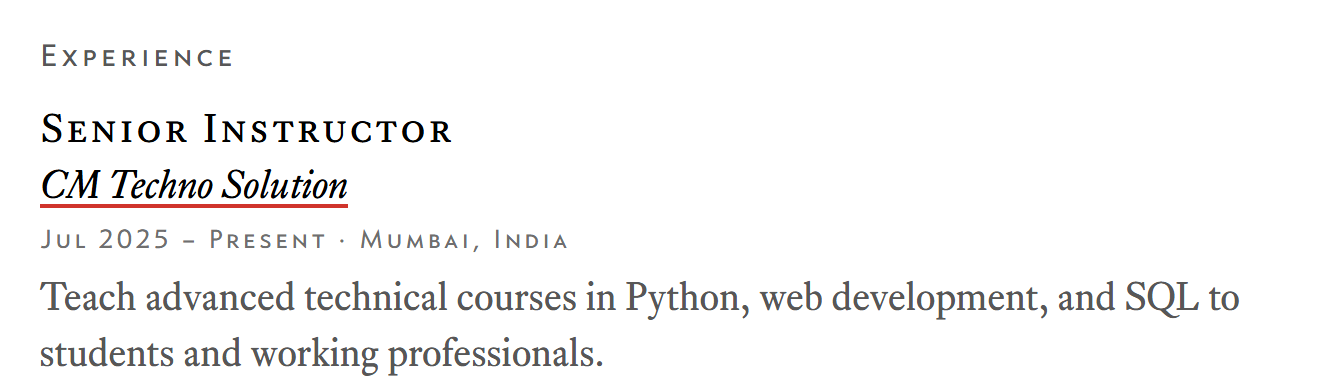
Look at the job titles on the About page. They are set in small capitals: capital letters at roughly the height of lowercase ones. It is an old typographic habit, used for subheads and abbreviations, and it is easy to fake badly.
The cheap version
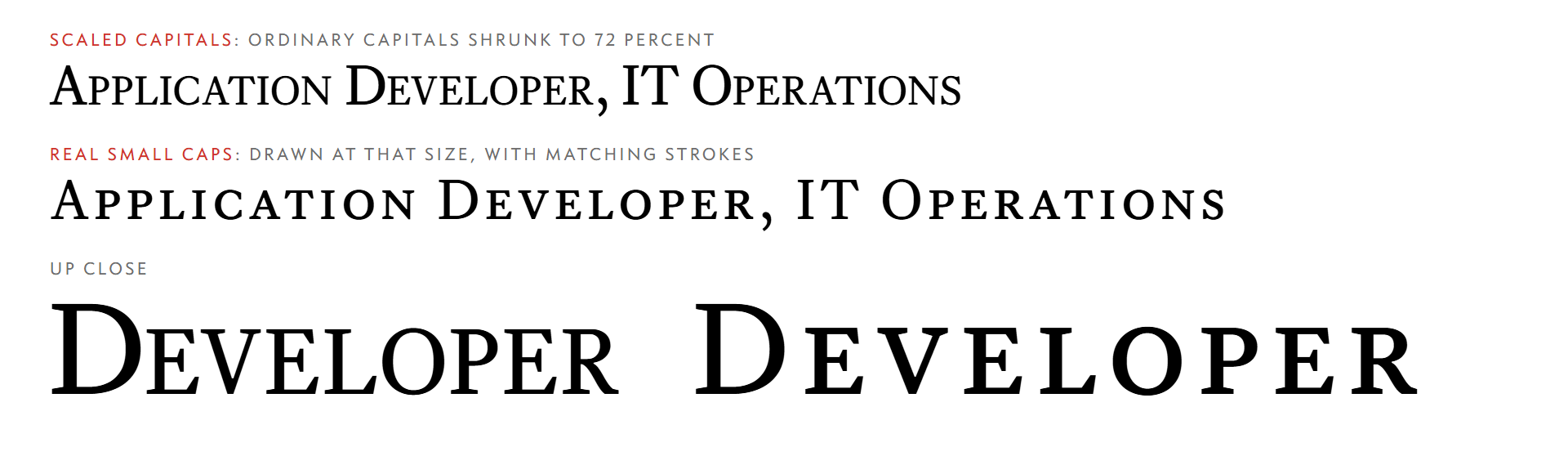
The quick way to get small caps is to take capital letters and make them smaller. Browsers will even do it for you: font-variant: small-caps on a font that has no small-cap glyphs makes the browser scale full capitals down, typically to around 70 percent.
It looks wrong for a mechanical reason. Scaling a letter scales everything about it, including the thickness of its strokes. A capital shrunk to 72 percent has strokes 72 percent as thick as the full-size capital next to it, so the small letters look lighter than the large ones. The proportions are also off: capitals drawn at full size are narrower relative to their height than letters designed to be that small.
The real version
A type designer who makes small caps draws them as their own letters: slightly wider, with strokes thickened to match the full capitals, and with spacing set for that size. There are two ways to use them on the web.
- An OpenType feature. Some fonts carry the small capitals inside the main file, and
font-variant-caps: small-capsswitches them on. If the font does not have them, the browser quietly falls back to the scaled version above, so it is worth checking what you are actually getting. - A separate font file. Many foundries sell small caps as their own cut. Loading it under its own family name means there is no fallback to fake anything.
This site takes the second route. The CSS defines a family called caps and uses it wherever small capitals belong:
/* Real small caps, not scaled-down capitals. */
strong,
.small-caps {
  font-family: caps, Georgia, serif;
  font-weight: normal;
  font-style: normal;
  letter-spacing: 0.03em;
}
The font-weight: normal line matters. Browsers make <strong> bold by default, and if the font has no bold for that family the browser draws a fake one by smearing the outlines. Resetting the weight, and loading a family that has only one, stops that.
Where it is used
There are two small-cap families here, and they have different jobs.
- A serif small-caps face for anything that reads as text: subtitles, section headings inside articles, and emphasised words.
- A sans small-caps face for metadata: dates, tags, breadcrumbs, the status line, navigation and the footer. These use lining figures, so a date like 2026-10-30 sits at capital height instead of bouncing up and down as old-style figures do.
The body text goes the other way. It uses old-style numerals, which sit among lowercase letters the way digits do in a printed book.
The cost, and a rule of thumb
A separate cut is another file for the visitor to download, which is one reason the fonts here are subset to the characters the site uses and loaded behind a page-load gate. A small-caps face that arrives late and swaps in is more noticeable than most, because every heading changes width.
The rule I use now: if a design calls for small caps, check whether the font you have supplies them. If it does not, either pick a family that does, or leave the text in lowercase. Shrunken capitals are the one choice that looks fine in a design file and wrong on the page.